

Linux中國
使用 KRAWL 掃描 Kubernetes 錯誤

當你使用 Kubernetes 運行容器時,你通常會發現它們堆積在一起。這是設計使然。它是容器的優點之一:每當需要新的容器時,它們啟動成本都很低。你可以使用前端工具(如 OpenShift 或 OKD)來管理 Pod 和容器。這些工具使可視化設置變得容易,並且它具有一組豐富的用於快速交互的命令。
如果管理容器的平台不符合你的要求,你也可以僅使用 Kubernetes 工具鏈獲取這些信息,但這需要大量命令才能全面了解複雜環境。出於這個原因,我編寫了 KRAWL,這是一個簡單的腳本,可用於掃描 Kubernetes 集群命名空間下的 Pod 和容器,並在發現任何事件時,顯示事件的輸出。它也可用作為 Kubernetes 插件使用。這是獲取大量有用信息的快速簡便方法。
先決條件
- 必須安裝
kubectl。 - 集群的 kubeconfig 配置必須在它的默認位置(
$HOME/.kube/config)或已被導出到環境變數(KUBECONFIG=/path/to/kubeconfig)。
使用
$ ./krawl
腳本
#!/bin/bash
# AUTHOR: Abhishek Tamrakar
# EMAIL: abhishek.tamrakar08@gmail.com
# LICENSE: Copyright (C) 2018 Abhishek Tamrakar
#
# Licensed under the Apache License, Version 2.0 (the "License");
# you may not use this file except in compliance with the License.
# You may obtain a copy of the License at
#
# http://www.apache.org/licenses/LICENSE-2.0
#
# Unless required by applicable law or agreed to in writing, software
# distributed under the License is distributed on an "AS IS" BASIS,
# WITHOUT WARRANTIES OR CONDITIONS OF ANY KIND, either express or implied.
# See the License for the specific language governing permissions and
# limitations under the License.
##
#define the variables
KUBE_LOC=~/.kube/config
#define variables
KUBECTL=$(which kubectl)
GET=$(which egrep)
AWK=$(which awk)
red=$(tput setaf 1)
normal=$(tput sgr0)
# define functions
# wrapper for printing info messages
info()
{
printf 'ne[34m%se[m: %sn' "INFO" "$@"
}
# cleanup when all done
cleanup()
{
rm -f results.csv
}
# just check if the command we are about to call is available
checkcmd()
{
#check if command exists
local cmd=$1
if [ -z "${!cmd}" ]
then
printf 'ne[31m%se[m: %sn' "ERROR" "check if $1 is installed !!!"
exit 1
fi
}
get_namespaces()
{
#get namespaces
namespaces=(
$($KUBECTL get namespaces --ignore-not-found=true |
$AWK '/Active/ {print $1}'
ORS=" ")
)
#exit if namespaces are not found
if [ ${#namespaces[@]} -eq 0 ]
then
printf 'ne[31m%se[m: %sn' "ERROR" "No namespaces found!!"
exit 1
fi
}
#get events for pods in errored state
get_pod_events()
{
printf 'n'
if [ ${#ERRORED[@]} -ne 0 ]
then
info "${#ERRORED[@]} errored pods found."
for CULPRIT in ${ERRORED[@]}
do
info "POD: $CULPRIT"
info
$KUBECTL get events
--field-selector=involvedObject.name=$CULPRIT
-ocustom-columns=LASTSEEN:.lastTimestamp,REASON:.reason,MESSAGE:.message
--all-namespaces
--ignore-not-found=true
done
else
info "0 pods with errored events found."
fi
}
#define the logic
get_pod_errors()
{
printf "%s %s %sn" "NAMESPACE,POD_NAME,CONTAINER_NAME,ERRORS" > results.csv
printf "%s %s %sn" "---------,--------,--------------,------" >> results.csv
for NAMESPACE in ${namespaces[@]}
do
while IFS=' ' read -r POD CONTAINERS
do
for CONTAINER in ${CONTAINERS//,/ }
do
COUNT=$($KUBECTL logs --since=1h --tail=20 $POD -c $CONTAINER -n $NAMESPACE 2>/dev/null|
$GET -c '^error|Error|ERROR|Warn|WARN')
if [ $COUNT -gt 0 ]
then
STATE=("${STATE[@]}" "$NAMESPACE,$POD,$CONTAINER,$COUNT")
else
#catch pods in errored state
ERRORED=($($KUBECTL get pods -n $NAMESPACE --no-headers=true |
awk '!/Running/ {print $1}' ORS=" ")
)
fi
done
done< <($KUBECTL get pods -n $NAMESPACE --ignore-not-found=true -o=custom-columns=NAME:.metadata.name,CONTAINERS:.spec.containers[*].name --no-headers=true)
done
printf "%sn" ${STATE[@]:-None} >> results.csv
STATE=()
}
#define usage for seprate run
usage()
{
cat << EOF
USAGE: "${0##*/} </path/to/kube-config>(optional)"
This program is a free software under the terms of Apache 2.0 License.
COPYRIGHT (C) 2018 Abhishek Tamrakar
EOF
exit 0
}
#check if basic commands are found
trap cleanup EXIT
checkcmd KUBECTL
#
#set the ground
if [ $# -lt 1 ]; then
if [ ! -e ${KUBE_LOC} -a ! -s ${KUBE_LOC} ]
then
info "A readable kube config location is required!!"
usage
fi
elif [ $# -eq 1 ]
then
export KUBECONFIG=$1
elif [ $# -gt 1 ]
then
usage
fi
#play
get_namespaces
get_pod_errors
printf 'n%40sn' 'KRAWL'
printf '%sn' '---------------------------------------------------------------------------------'
printf '%sn' ' Krawl is a command line utility to scan pods and prints name of errored pods '
printf '%snn' ' +and containers within. To use it as kubernetes plugin, please check their page '
printf '%sn' '================================================================================='
cat results.csv | sed 's/,/,|/g'| column -s ',' -t
get_pod_events此文最初發布在 KRAWL 的 GitHub 倉庫下的 README 中,並被或許重用。
via: https://opensource.com/article/20/2/kubernetes-scanner
作者:Abhishek Tamrakar 選題:lujun9972 譯者:geekpi 校對:wxy
本文轉載來自 Linux 中國: https://github.com/Linux-CN/archive
對這篇文章感覺如何?
太棒了
0
不錯
0
愛死了
0
不太好
0
感覺很糟
0
You may also like




More in:Linux中國

捐贈 Let's Encrypt,共建安全的互聯網
隨著 Mozilla、蘋果和谷歌對沃通和 StartCom 這兩家 CA 公司處罰落定,很多使用這兩家 CA 所簽發證書的網站紛紛尋求新的證書籤發商。有一個非盈利組織可以為大家提供了免費、可靠和安全的 SSL 證書服務,這就是 Let's Encrypt 項目。現在,它需要您的幫助
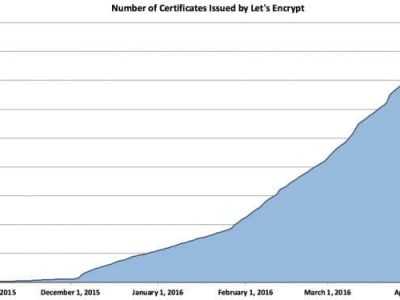
Let's Encrypt 正式發布,已經保護 380 萬個域名
由於 Let's Encrypt 讓安裝 X.509 TLS 證書變得非常簡單,所以這個數量增長迅猛。

關於Linux防火牆iptables的面試問答
Nishita Agarwal是Tecmint的用戶,她將分享關於她剛剛經歷的一家公司(印度的一家私人公司Pune)的面試經驗。在面試中她被問及許多不同的問題,但她是iptables方面的專家,因此她想分享這些關於iptables的問題和相應的答案給那些以後可能會進行相關面試的人。 所有的問題和相應的答案都基於Nishita Agarwal的記憶並經過了重寫。 嗨,朋友!我叫Nishita Agarwal。我已經取得了理學學士學位,我的專業集中在UNIX和它的變種(BSD,Linux)。它們一直深深的吸引著我。我在存儲方面有1年多的經驗。我正在尋求職業上的變化,並將供職於印度的P
Lets Encrypt 已被所有主流瀏覽器所信任
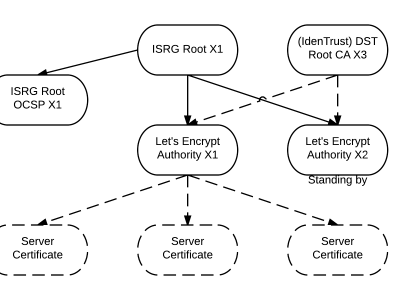
旨在讓每個網站都能使用 HTTPS 加密的非贏利組織 Lets Encrypt 已經得了 IdenTrust的交叉簽名,這意味著其證書現在已經可以被所有主流的瀏覽器所信任。從這個裡程碑事件開始,訪問者訪問使用了Lets Encrypt 證書的網站不再需要特別配置就可以得到 HTTPS 安全保護了。 Lets Encrypt 的兩個中級證書 ...
關注 LinuxStory 微信公眾號,獲取最新的 Linux 和操作系統資訊,每天為您帶來熱騰騰的開源新聞與新鮮溫暖的科技故事。