
Linux中國
讓 Ubuntu 上的 Unity 在線搜索功能見鬼去吧!
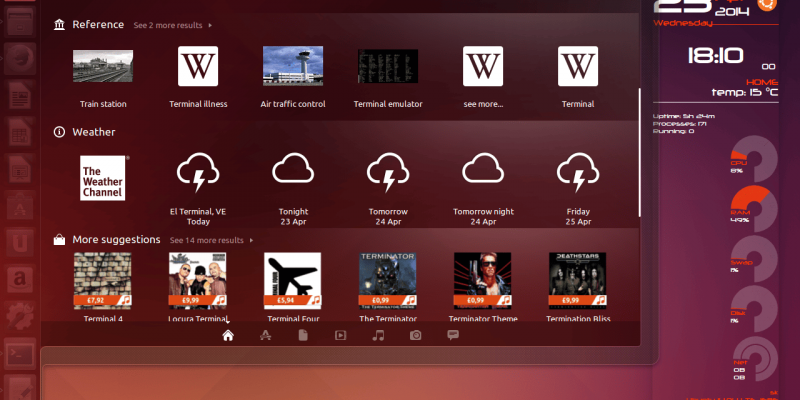
正如上面的截圖所見,Unity顯示內置的 Terminal 應用、引用鏈接、天氣鏈接和其他第三方的推薦,如電影等。這是非常惱人的並且在 Unity Dash 上看起來很糟。同時,它顯示了太多的搜索結果,並使我迷惑。
如果你像我一樣不需要這個功能,在你的終端輸入以下命令:
wget -q -O - https://fixubuntu.com/fixubuntu.sh | bash
上述腳本的內容如下:
#!/bin/bash
GS="/usr/bin/gsettings"
CCUL="com.canonical.Unity.lenses"
# Figure out the version of Ubuntu that you're running
V=`/usr/bin/lsb_release -rs`
# The privacy problems started with 12.10, so earlier versions should do nothing
if awk "BEGIN {exit !($V < 12.10 || $V >= 14.10)}"; then
echo "Good news! This version of Ubuntu is not known to invade your privacy."
else
# Check Canonical schema is present. Take first match, ignoring case.
SCHEMA="`$GS list-schemas | grep -i $CCUL | head -1`"
if [ -z "$SCHEMA" ]
then
printf "Error: could not find Canonical schema %s.n" "$CCUL" 1>&2
exit 1
else
CCUL="$SCHEMA"
fi
# Turn off "Remote Search", so search terms in Dash don't get sent to the internet
$GS set $CCUL remote-content-search none
# If you're using earlier than 13.10, uninstall unity-lens-shopping
if [ $V < 13.10 ]; then
sudo apt-get remove -y unity-lens-shopping
# If you're using a later version, disable remote scopes
else
$GS set $CCUL disabled-scopes
"['more_suggestions-amazon.scope', 'more_suggestions-u1ms.scope',
'more_suggestions-populartracks.scope', 'music-musicstore.scope',
'more_suggestions-ebay.scope', 'more_suggestions-ubuntushop.scope',
'more_suggestions-skimlinks.scope']"
fi;
# Block connections to Ubuntu's ad server, just in case
if ! grep -q "127.0.0.1 productsearch.ubuntu.com" /etc/hosts; then
echo -e "n127.0.0.1 productsearch.ubuntu.com" | sudo tee -a /etc/hosts >/dev/null
fi
echo "All done. Enjoy your privacy."
fi
再次,我進入到 Unity dash 的終端。現在 Unity 只顯示終端應用,而不是無用的垃圾,現在 Unity Dash 看起來還不錯。
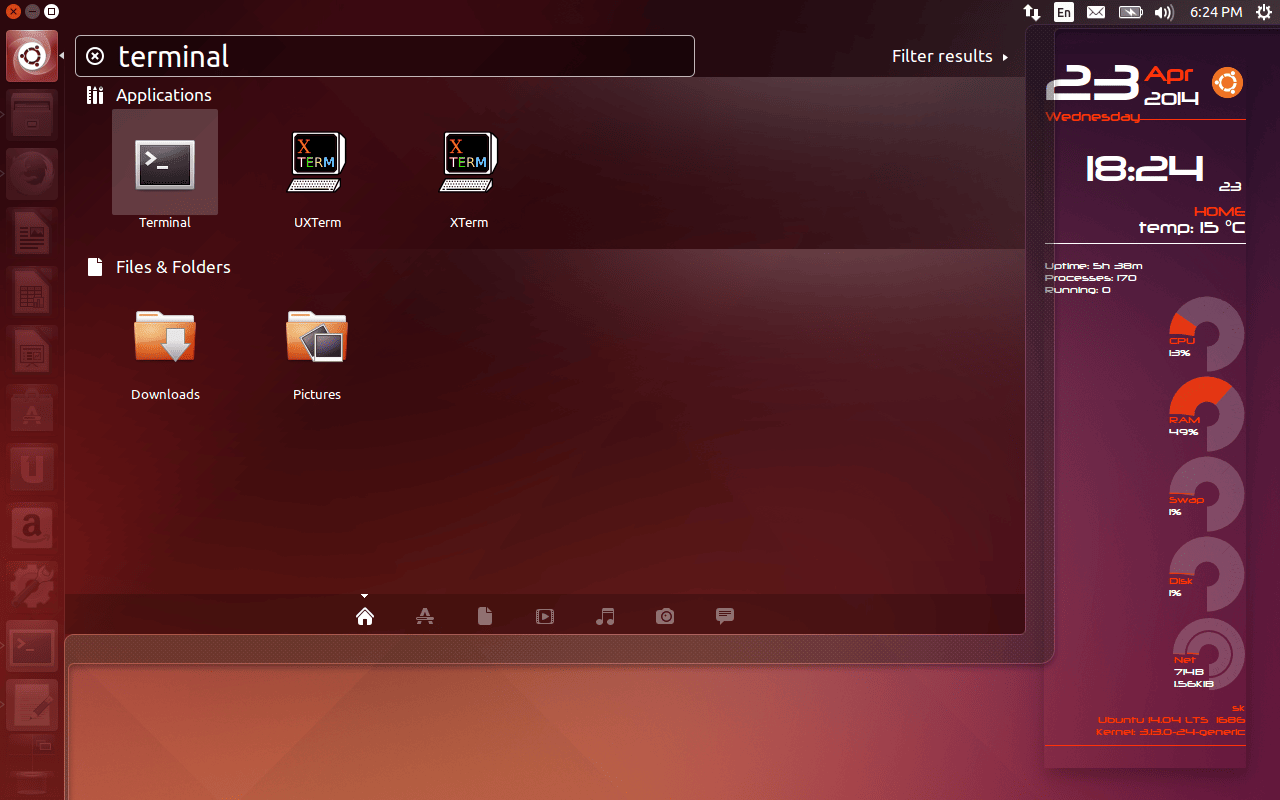
全部搞定,讓那些雜亂的東西再也不要回來了。
歡呼~!
更新:這一招只適用Unity desktop。如果你使用其他的比如GNOME,LXDE或Xfce,你不用這麼做。同時,這個在線搜索功能將不會包含在Ubuntu 14.10和即將推出的版本中。
Source & Reference: Fixubuntu
via: http://www.unixmen.com/disable-unity-online-search-feature-ubuntu-14-04-lts-older-versions/
本文轉載來自 Linux 中國: https://github.com/Linux-CN/archive
對這篇文章感覺如何?
太棒了
0
不錯
0
愛死了
0
不太好
0
感覺很糟
0
You may also like




More in:Linux中國
捐贈 Let's Encrypt,共建安全的互聯網
隨著 Mozilla、蘋果和谷歌對沃通和 StartCom 這兩家 CA 公司處罰落定,很多使用這兩家 CA 所簽發證書的網站紛紛尋求新的證書籤發商。有一個非盈利組織可以為大家提供了免費、可靠和安全的 SSL 證書服務,這就是 Let's Encrypt 項目。現在,它需要您的幫助
Let's Encrypt 正式發布,已經保護 380 萬個域名
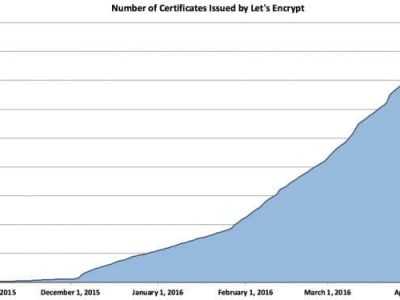
由於 Let's Encrypt 讓安裝 X.509 TLS 證書變得非常簡單,所以這個數量增長迅猛。

關於Linux防火牆iptables的面試問答
Nishita Agarwal是Tecmint的用戶,她將分享關於她剛剛經歷的一家公司(印度的一家私人公司Pune)的面試經驗。在面試中她被問及許多不同的問題,但她是iptables方面的專家,因此她想分享這些關於iptables的問題和相應的答案給那些以後可能會進行相關面試的人。 所有的問題和相應的答案都基於Nishita Agarwal的記憶並經過了重寫。 嗨,朋友!我叫Nishita Agarwal。我已經取得了理學學士學位,我的專業集中在UNIX和它的變種(BSD,Linux)。它們一直深深的吸引著我。我在存儲方面有1年多的經驗。我正在尋求職業上的變化,並將供職於印度的P
Lets Encrypt 已被所有主流瀏覽器所信任
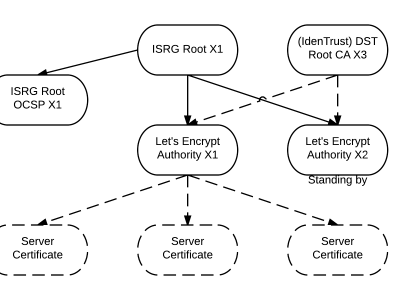
旨在讓每個網站都能使用 HTTPS 加密的非贏利組織 Lets Encrypt 已經得了 IdenTrust的交叉簽名,這意味著其證書現在已經可以被所有主流的瀏覽器所信任。從這個裡程碑事件開始,訪問者訪問使用了Lets Encrypt 證書的網站不再需要特別配置就可以得到 HTTPS 安全保護了。 Lets Encrypt 的兩個中級證書 ...
關注 LinuxStory 微信公眾號,獲取最新的 Linux 和操作系統資訊,每天為您帶來熱騰騰的開源新聞與新鮮溫暖的科技故事。