
Linux中国
如何在 Linux 中安装 Rust 编程语言
Rust 通常被称为 rust-lang。Rust 是一个由 Mozilla Research 赞助的通用的、多范式、现代的、跨平台和开源系统编程语言。
它旨在实现安全性、速度和并发性等目标。
Rust 在语法上与 C++ 相似,但它的设计者希望它在保持性能的同时提供更好的内存安全性。
Rust 目前在许多组织中使用,例如 Firefox、Chef、Dropbox、Oracle、GNOME 等。
如何在 Linux 中安装 Rust 语言?
我们可以通过多种方式安装 Rust,但以下是官方推荐的安装方式。
$ curl https://sh.rustup.rs -sSf | sh
info: downloading installer

Welcome to Rust!

This will download and install the official compiler for the Rust programming
language, and its package manager, Cargo.

It will add the cargo, rustc, rustup and other commands to Cargo's bin
directory, located at:

  /home/daygeek/.cargo/bin

This path will then be added to your PATH environment variable by modifying the
profile files located at:

  /home/daygeek/.profile
  /home/daygeek/.bash_profile

You can uninstall at any time with rustup self uninstall and these changes will
be reverted.

Current installation options:

   default host triple: x86_64-unknown-linux-gnu
     default toolchain: stable
  modify PATH variable: yes

1) Proceed with installation (default)
2) Customize installation
3) Cancel installation
>1

info: syncing channel updates for 'stable-x86_64-unknown-linux-gnu'
info: latest update on 2018-12-06, rust version 1.31.0 (abe02cefd 2018-12-04)
info: downloading component 'rustc'
 77.7 MiB /  77.7 MiB (100 %)   1.2 MiB/s ETA:   0 s
info: downloading component 'rust-std'
 54.2 MiB /  54.2 MiB (100 %)   1.2 MiB/s ETA:   0 s
info: downloading component 'cargo'
  4.7 MiB /   4.7 MiB (100 %)   1.2 MiB/s ETA:   0 s
info: downloading component 'rust-docs'
  8.5 MiB /   8.5 MiB (100 %)   1.2 MiB/s ETA:   0 s
info: installing component 'rustc'
info: installing component 'rust-std'
info: installing component 'cargo'
info: installing component 'rust-docs'
info: default toolchain set to 'stable'

  stable installed - rustc 1.31.0 (abe02cefd 2018-12-04)

Rust is installed now. Great!

To get started you need Cargo's bin directory ($HOME/.cargo/bin) in your PATH
environment variable. Next time you log in this will be done automatically.

To configure your current shell run source $HOME/.cargo/env
运行以下命令配置当前 shell。
$ source $HOME/.cargo/env运行以下命令验证已安装的 Rust 版本。
$ rustc --version
rustc 1.31.0 (abe02cefd 2018-12-04)
如何测试 Rust 编程语言?
安装 Rust 后,请按照以下步骤检查 Rust 语言是否正常工作。
$ mkdir ~/projects
$ cd ~/projects
$ mkdir hello_world
$ cd hello_world
创建一个文件并添加以下代码并保存。确保 Rust 文件始终以 .rs 扩展名结尾。
$ vi 2g.rs

fn main() {
 println!("Hello, It's 2DayGeek.com - Best Linux Practical Blog!");
}
运行以下命令编译 rust 代码。
$ rustc 2g.rs上面的命令将在同一目录中创建一个可执行的 Rust 程序。
$ ls -lh
total 3.9M
-rwxr-xr-x 1 daygeek daygeek 3.9M Dec 14 11:09 2g
-rw-r--r-- 1 daygeek daygeek 86 Dec 14 11:09 2g.rs
运行 Rust 可执行文件得到输出。
$ ./2g
Hello, It's 2DayGeek.com - Best Linux Practical Blog!
好了!正常工作了。
将 Rust 更新到最新版本。
$ rustup update
info: syncing channel updates for 'stable-x86_64-unknown-linux-gnu'
info: checking for self-updates

  stable-x86_64-unknown-linux-gnu unchanged - rustc 1.31.0 (abe02cefd 2018-12-04)
运行以下命令从系统中删除 Rust 包。
$ rustup self uninstall卸载 Rust 包后,删除 Rust 项目目录。
$ rm -fr ~/projectsvia: https://www.2daygeek.com/how-to-install-rust-programming-language-in-linux/
作者:Prakash Subramanian 选题:lujun9972 译者:geekpi 校对:wxy
本文转载来自 Linux 中国: https://github.com/Linux-CN/archive
对这篇文章感觉如何?
太棒了
0
不错
0
爱死了
0
不太好
0
感觉很糟
0
You may also like




More in:Linux中国

捐赠 Let's Encrypt,共建安全的互联网
随着 Mozilla、苹果和谷歌对沃通和 StartCom 这两家 CA 公司处罚落定,很多使用这两家 CA 所签发证书的网站纷纷寻求新的证书签发商。有一个非盈利组织可以为大家提供了免费、可靠和安全的 SSL 证书服务,这就是 Let's Encrypt 项目。现在,它需要您的帮助
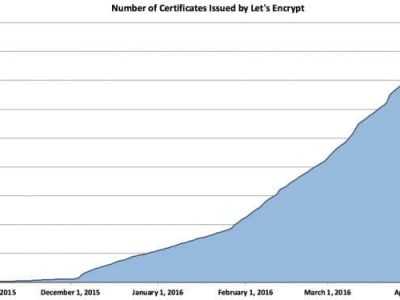
Let's Encrypt 正式发布,已经保护 380 万个域名
由于 Let's Encrypt 让安装 X.509 TLS 证书变得非常简单,所以这个数量增长迅猛。

关于Linux防火墙iptables的面试问答
Nishita Agarwal是Tecmint的用户,她将分享关于她刚刚经历的一家公司(印度的一家私人公司Pune)的面试经验。在面试中她被问及许多不同的问题,但她是iptables方面的专家,因此她想分享这些关于iptables的问题和相应的答案给那些以后可能会进行相关面试的人。 所有的问题和相应的答案都基于Nishita Agarwal的记忆并经过了重写。 嗨,朋友!我叫Nishita Agarwal。我已经取得了理学学士学位,我的专业集中在UNIX和它的变种(BSD,Linux)。它们一直深深的吸引着我。我在存储方面有1年多的经验。我正在寻求职业上的变化,并将供职于印度的P
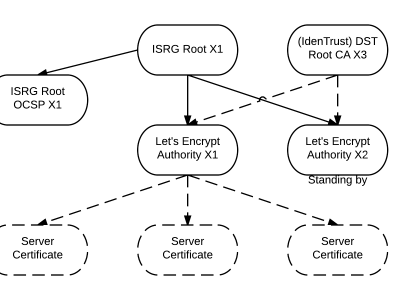
Lets Encrypt 已被所有主流浏览器所信任
旨在让每个网站都能使用 HTTPS 加密的非赢利组织 Lets Encrypt 已经得了 IdenTrust的交叉签名,这意味着其证书现在已经可以被所有主流的浏览器所信任。从这个里程碑事件开始,访问者访问使用了Lets Encrypt 证书的网站不再需要特别配置就可以得到 HTTPS 安全保护了。 Lets Encrypt 的两个中级证书 ...
关注 LinuxStory 微信公众号,获取最新的 Linux 和操作系统资讯,每天为您带来热腾腾的开源新闻与新鲜温暖的科技故事。