

Linux中国
使用 KRAWL 扫描 Kubernetes 错误

当你使用 Kubernetes 运行容器时,你通常会发现它们堆积在一起。这是设计使然。它是容器的优点之一:每当需要新的容器时,它们启动成本都很低。你可以使用前端工具(如 OpenShift 或 OKD)来管理 Pod 和容器。这些工具使可视化设置变得容易,并且它具有一组丰富的用于快速交互的命令。
如果管理容器的平台不符合你的要求,你也可以仅使用 Kubernetes 工具链获取这些信息,但这需要大量命令才能全面了解复杂环境。出于这个原因,我编写了 KRAWL,这是一个简单的脚本,可用于扫描 Kubernetes 集群命名空间下的 Pod 和容器,并在发现任何事件时,显示事件的输出。它也可用作为 Kubernetes 插件使用。这是获取大量有用信息的快速简便方法。
先决条件
- 必须安装
kubectl。 - 集群的 kubeconfig 配置必须在它的默认位置(
$HOME/.kube/config)或已被导出到环境变量(KUBECONFIG=/path/to/kubeconfig)。
使用
$ ./krawl
脚本
#!/bin/bash
# AUTHOR: Abhishek Tamrakar
# EMAIL: abhishek.tamrakar08@gmail.com
# LICENSE: Copyright (C) 2018 Abhishek Tamrakar
#
# Licensed under the Apache License, Version 2.0 (the "License");
# you may not use this file except in compliance with the License.
# You may obtain a copy of the License at
#
# http://www.apache.org/licenses/LICENSE-2.0
#
# Unless required by applicable law or agreed to in writing, software
# distributed under the License is distributed on an "AS IS" BASIS,
# WITHOUT WARRANTIES OR CONDITIONS OF ANY KIND, either express or implied.
# See the License for the specific language governing permissions and
# limitations under the License.
##
#define the variables
KUBE_LOC=~/.kube/config
#define variables
KUBECTL=$(which kubectl)
GET=$(which egrep)
AWK=$(which awk)
red=$(tput setaf 1)
normal=$(tput sgr0)
# define functions
# wrapper for printing info messages
info()
{
printf 'ne[34m%se[m: %sn' "INFO" "$@"
}
# cleanup when all done
cleanup()
{
rm -f results.csv
}
# just check if the command we are about to call is available
checkcmd()
{
#check if command exists
local cmd=$1
if [ -z "${!cmd}" ]
then
printf 'ne[31m%se[m: %sn' "ERROR" "check if $1 is installed !!!"
exit 1
fi
}
get_namespaces()
{
#get namespaces
namespaces=(
$($KUBECTL get namespaces --ignore-not-found=true |
$AWK '/Active/ {print $1}'
ORS=" ")
)
#exit if namespaces are not found
if [ ${#namespaces[@]} -eq 0 ]
then
printf 'ne[31m%se[m: %sn' "ERROR" "No namespaces found!!"
exit 1
fi
}
#get events for pods in errored state
get_pod_events()
{
printf 'n'
if [ ${#ERRORED[@]} -ne 0 ]
then
info "${#ERRORED[@]} errored pods found."
for CULPRIT in ${ERRORED[@]}
do
info "POD: $CULPRIT"
info
$KUBECTL get events
--field-selector=involvedObject.name=$CULPRIT
-ocustom-columns=LASTSEEN:.lastTimestamp,REASON:.reason,MESSAGE:.message
--all-namespaces
--ignore-not-found=true
done
else
info "0 pods with errored events found."
fi
}
#define the logic
get_pod_errors()
{
printf "%s %s %sn" "NAMESPACE,POD_NAME,CONTAINER_NAME,ERRORS" > results.csv
printf "%s %s %sn" "---------,--------,--------------,------" >> results.csv
for NAMESPACE in ${namespaces[@]}
do
while IFS=' ' read -r POD CONTAINERS
do
for CONTAINER in ${CONTAINERS//,/ }
do
COUNT=$($KUBECTL logs --since=1h --tail=20 $POD -c $CONTAINER -n $NAMESPACE 2>/dev/null|
$GET -c '^error|Error|ERROR|Warn|WARN')
if [ $COUNT -gt 0 ]
then
STATE=("${STATE[@]}" "$NAMESPACE,$POD,$CONTAINER,$COUNT")
else
#catch pods in errored state
ERRORED=($($KUBECTL get pods -n $NAMESPACE --no-headers=true |
awk '!/Running/ {print $1}' ORS=" ")
)
fi
done
done< <($KUBECTL get pods -n $NAMESPACE --ignore-not-found=true -o=custom-columns=NAME:.metadata.name,CONTAINERS:.spec.containers[*].name --no-headers=true)
done
printf "%sn" ${STATE[@]:-None} >> results.csv
STATE=()
}
#define usage for seprate run
usage()
{
cat << EOF
USAGE: "${0##*/} </path/to/kube-config>(optional)"
This program is a free software under the terms of Apache 2.0 License.
COPYRIGHT (C) 2018 Abhishek Tamrakar
EOF
exit 0
}
#check if basic commands are found
trap cleanup EXIT
checkcmd KUBECTL
#
#set the ground
if [ $# -lt 1 ]; then
if [ ! -e ${KUBE_LOC} -a ! -s ${KUBE_LOC} ]
then
info "A readable kube config location is required!!"
usage
fi
elif [ $# -eq 1 ]
then
export KUBECONFIG=$1
elif [ $# -gt 1 ]
then
usage
fi
#play
get_namespaces
get_pod_errors
printf 'n%40sn' 'KRAWL'
printf '%sn' '---------------------------------------------------------------------------------'
printf '%sn' ' Krawl is a command line utility to scan pods and prints name of errored pods '
printf '%snn' ' +and containers within. To use it as kubernetes plugin, please check their page '
printf '%sn' '================================================================================='
cat results.csv | sed 's/,/,|/g'| column -s ',' -t
get_pod_events此文最初发布在 KRAWL 的 GitHub 仓库下的 README 中,并被或许重用。
via: https://opensource.com/article/20/2/kubernetes-scanner
作者:Abhishek Tamrakar 选题:lujun9972 译者:geekpi 校对:wxy
本文转载来自 Linux 中国: https://github.com/Linux-CN/archive
对这篇文章感觉如何?
太棒了
0
不错
0
爱死了
0
不太好
0
感觉很糟
0
You may also like




More in:Linux中国

捐赠 Let's Encrypt,共建安全的互联网
随着 Mozilla、苹果和谷歌对沃通和 StartCom 这两家 CA 公司处罚落定,很多使用这两家 CA 所签发证书的网站纷纷寻求新的证书签发商。有一个非盈利组织可以为大家提供了免费、可靠和安全的 SSL 证书服务,这就是 Let's Encrypt 项目。现在,它需要您的帮助
Let's Encrypt 正式发布,已经保护 380 万个域名
由于 Let's Encrypt 让安装 X.509 TLS 证书变得非常简单,所以这个数量增长迅猛。

关于Linux防火墙iptables的面试问答
Nishita Agarwal是Tecmint的用户,她将分享关于她刚刚经历的一家公司(印度的一家私人公司Pune)的面试经验。在面试中她被问及许多不同的问题,但她是iptables方面的专家,因此她想分享这些关于iptables的问题和相应的答案给那些以后可能会进行相关面试的人。 所有的问题和相应的答案都基于Nishita Agarwal的记忆并经过了重写。 嗨,朋友!我叫Nishita Agarwal。我已经取得了理学学士学位,我的专业集中在UNIX和它的变种(BSD,Linux)。它们一直深深的吸引着我。我在存储方面有1年多的经验。我正在寻求职业上的变化,并将供职于印度的P
Lets Encrypt 已被所有主流浏览器所信任
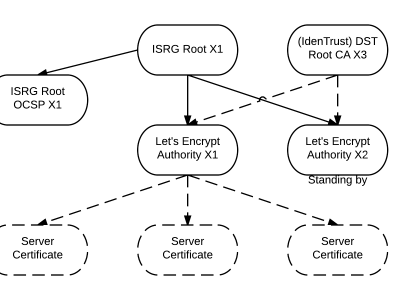
旨在让每个网站都能使用 HTTPS 加密的非赢利组织 Lets Encrypt 已经得了 IdenTrust的交叉签名,这意味着其证书现在已经可以被所有主流的浏览器所信任。从这个里程碑事件开始,访问者访问使用了Lets Encrypt 证书的网站不再需要特别配置就可以得到 HTTPS 安全保护了。 Lets Encrypt 的两个中级证书 ...
关注 LinuxStory 微信公众号,获取最新的 Linux 和操作系统资讯,每天为您带来热腾腾的开源新闻与新鲜温暖的科技故事。